You can install {updateme} from CRAN like so:
install.packages("updateme")
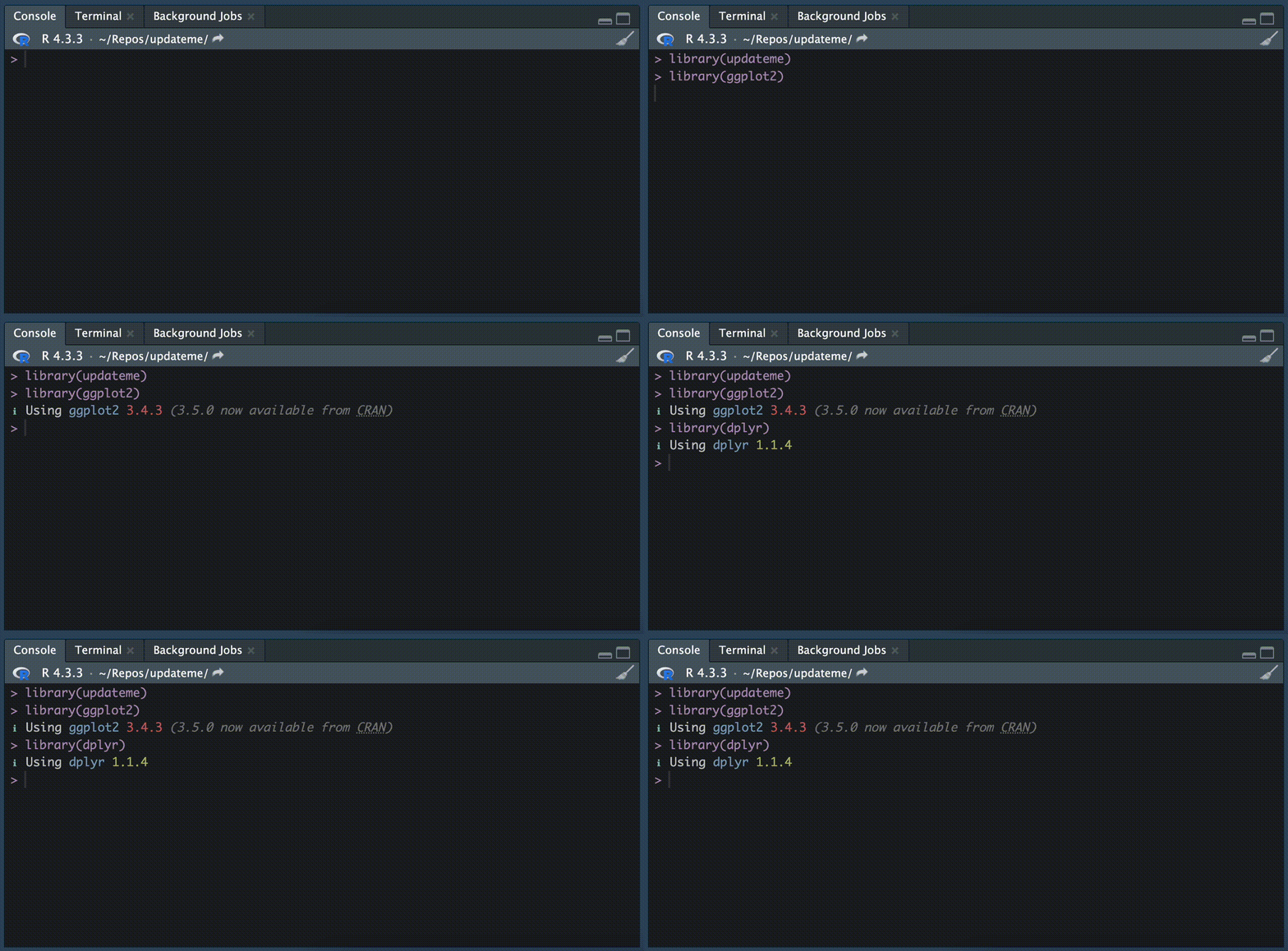
{updateme} modifies library() to tell you if your packages are up to date when
you load them:
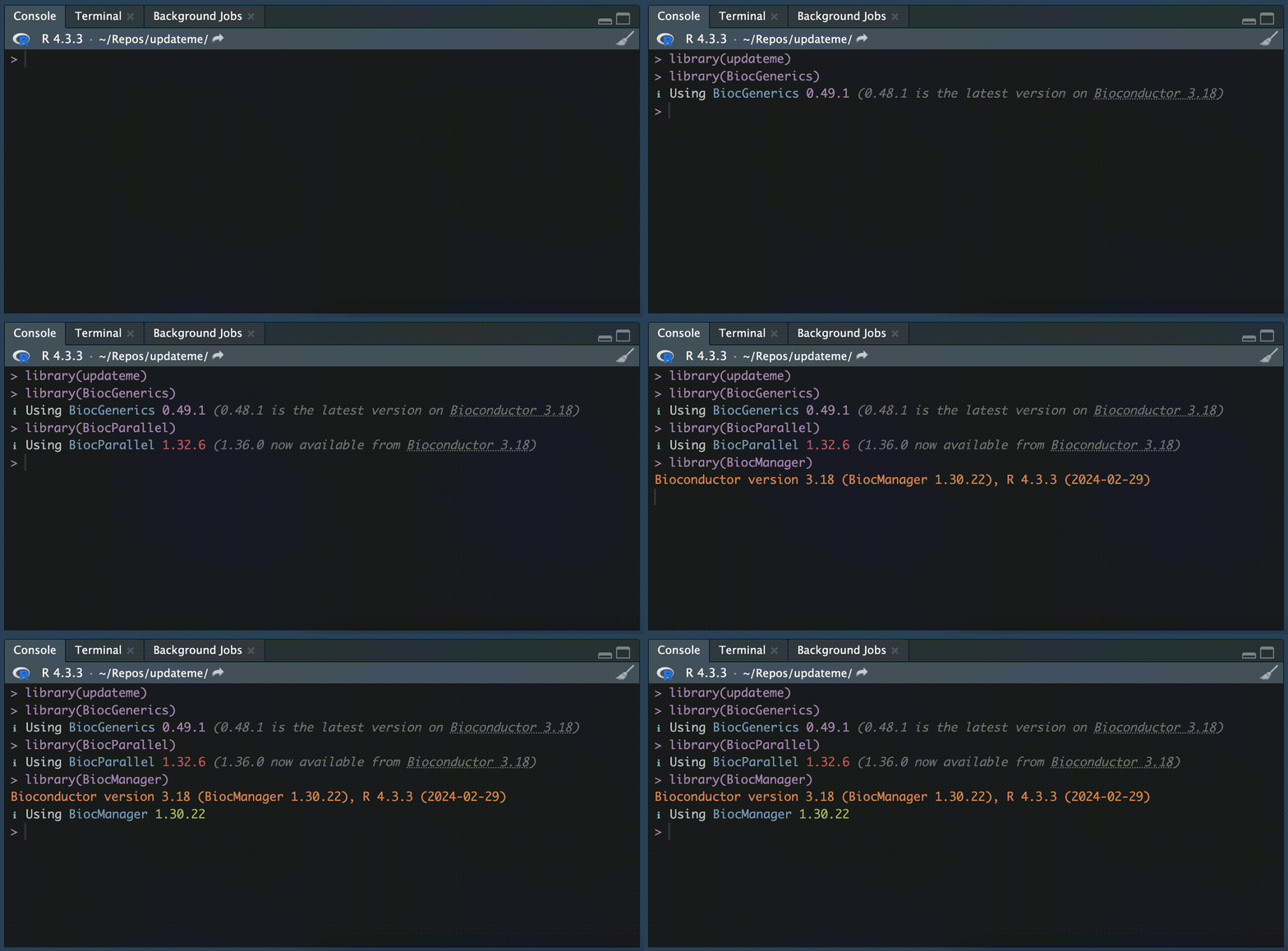
{updateme} works with packages installed from CRAN (and CRAN-like repos), Bioconductor, GitHub and GitLab. Packages installed from Bioconductor are intelligently checked against the version of Bioconductor you're using, and these get a special message if they're more recent than they probably should be:
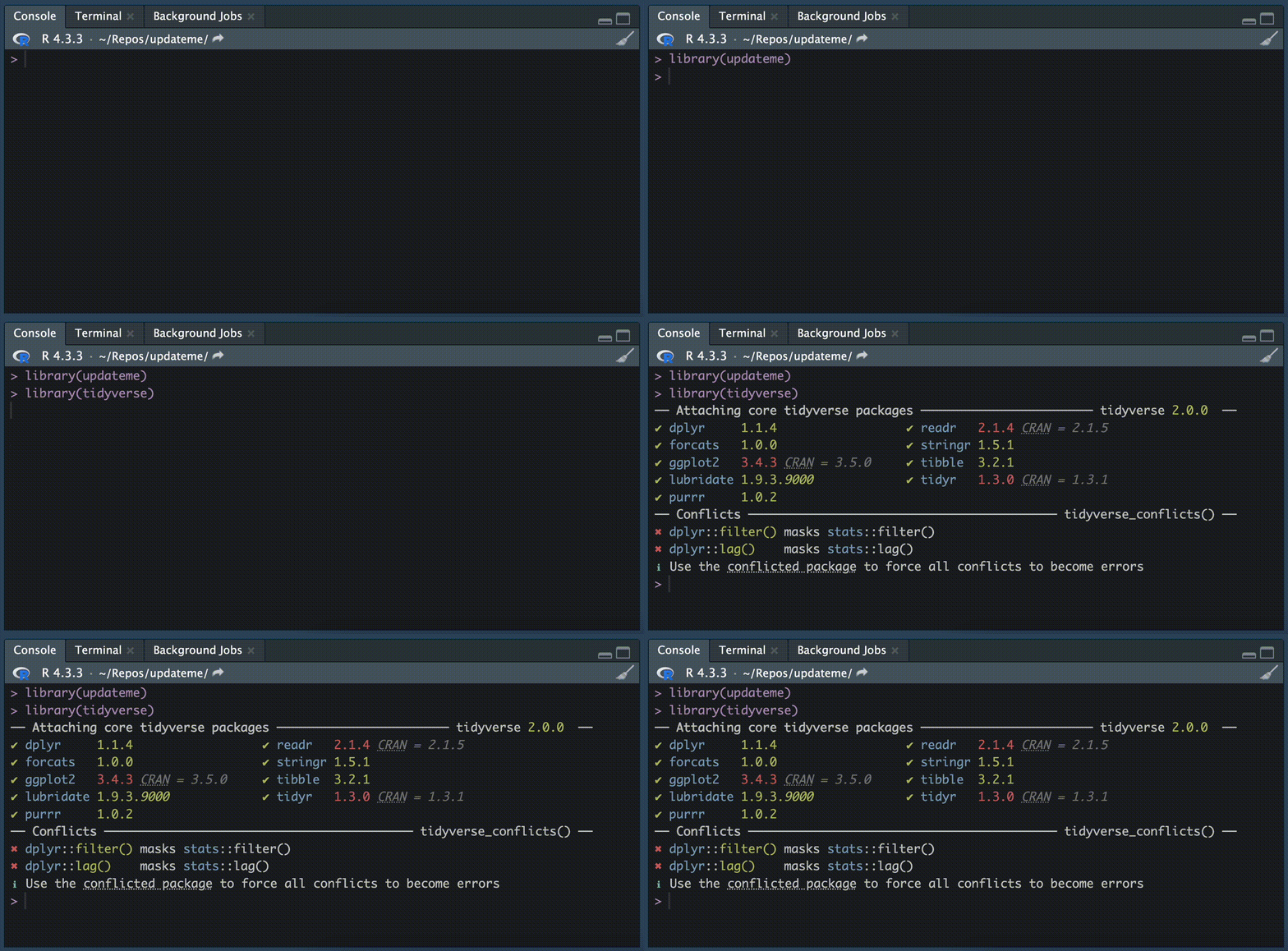
The tidyverse is a special case, which gets its own modified startup message:
{updateme} is configurable using
updateme_sources_set(). If, for example, you're using the development version of {lubridate} but you'd
like to see which version is currently on CRAN, you can get this behaviour like
so:
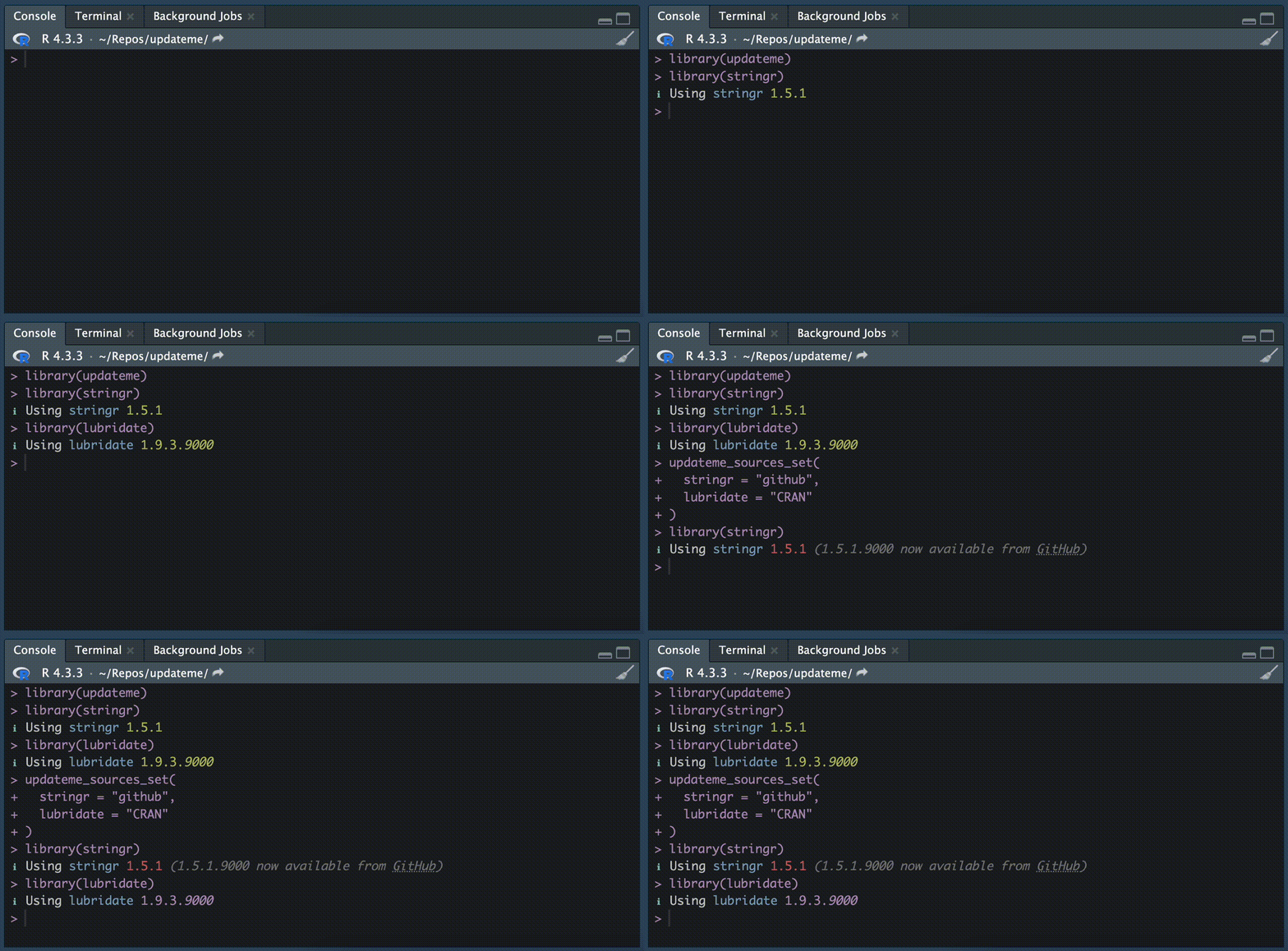
By default, {updateme} will check for new versions of a given package from wherever your version seems to have been installed from.
If you find you'd like to have {updateme} available all the time, consider
loading it at startup by adding this snippet to your .Rprofile:
if (interactive()) {
  suppressMessages(require(updateme))
}
If necessary, you can turn {updateme} off using
updateme_off(),
and back on with
updateme_on().
Some caching of downloads is used to make most calls to library() pretty
quick. The cache resets every hour, but you can configure this using
options():
# Set the cache expiry time to 30 minutes
options(updateme.cache_expiry = 30)